SIP softphone appComing soon
Darwvin Softphone
A private SIP softphone for Android and desktop.
Calls over the SIP account or PBX you already use, with built-in SIP diagnostics, optional encrypted call recording and no Darwvin account or tracking.
Tell me when it is readyComing soon
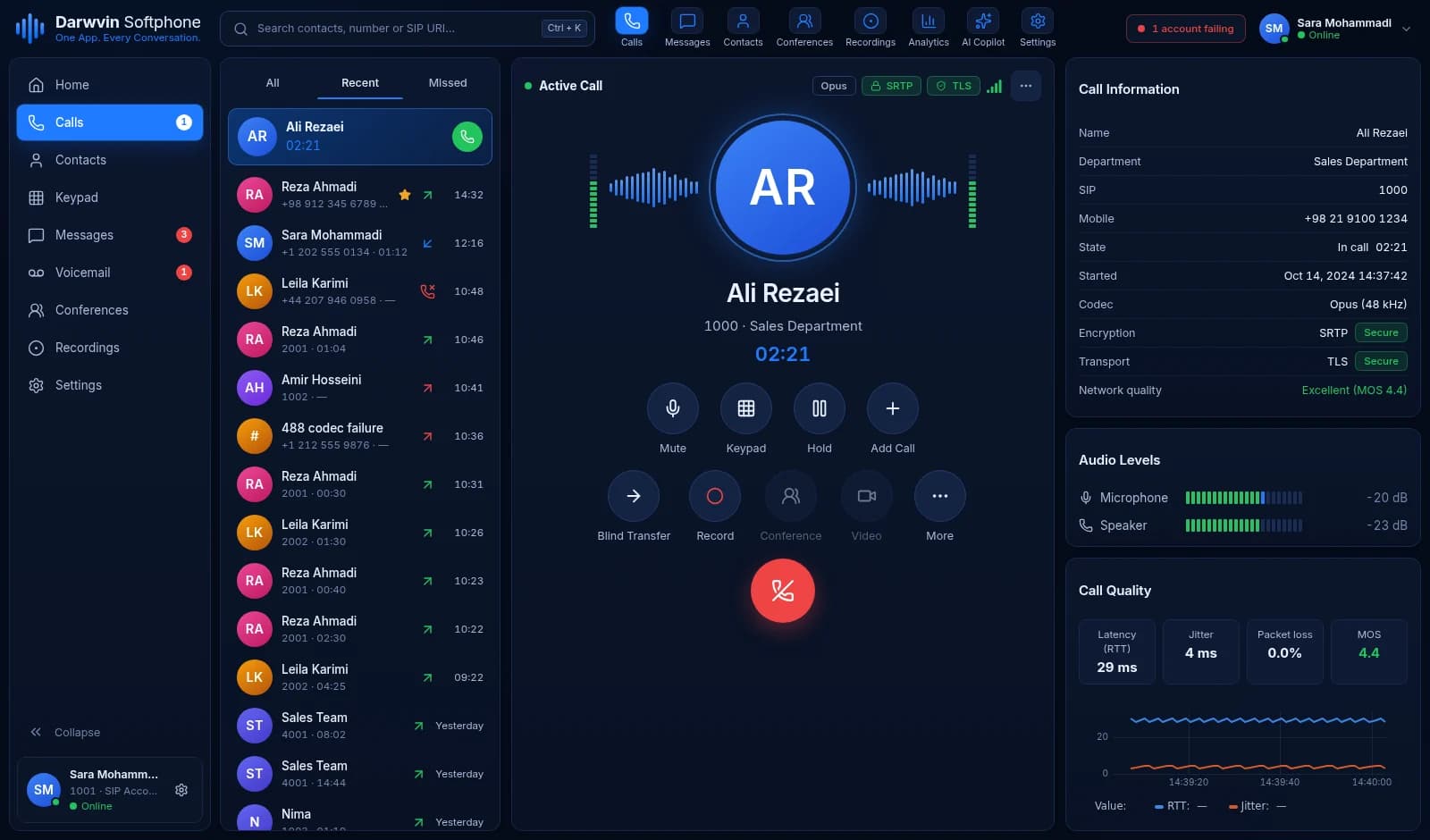
Darwvin Softphone — active call
The problem it solves
When a call fails, most softphones show little more than "call failed". One-way audio, a 403 on registration or a 488 codec error leave you guessing, and many apps also want an account with the vendor before you can use your own SIP server. Darwvin Softphone connects straight to the SIP account or PBX you choose, keeps your credentials and call data on your device, and shows what actually happened on the wire. It is not released yet: the Android app is a release candidate and the desktop edition is in development.
Built for
- People who already have a SIP account or PBX extension
- VoIP engineers who need to see why a call fails
- Office teams that use BLF and transfer on a PBX
What it does
Several SIP accounts
Register more than one SIP account at the same time over UDP, TCP or TLS, and choose which one places each call.
Full call control
Answer, decline, mute, hold, DTMF (RFC 2833 and SIP INFO), call waiting, blind and attended transfer, and local conferences.
Encryption you can enforce
TLS always verifies the server certificate. SRTP (SDES or DTLS-SRTP) can be optional or required for each account.
PBX features
BLF, presence, message-waiting indicator, SIP MESSAGE, feature codes, dial plans, do-not-disturb and auto-answer — where your PBX offers them.
Calls behind NAT
STUN, TURN and ICE, so calls can find a working media path from home, office and mobile networks.
Recording on your terms
Call recording is off until you turn it on, and it reminds you to get consent. On Android, recordings are encrypted with a key held in Android Keystore and removed after the retention period you choose.
SIP diagnostics built in
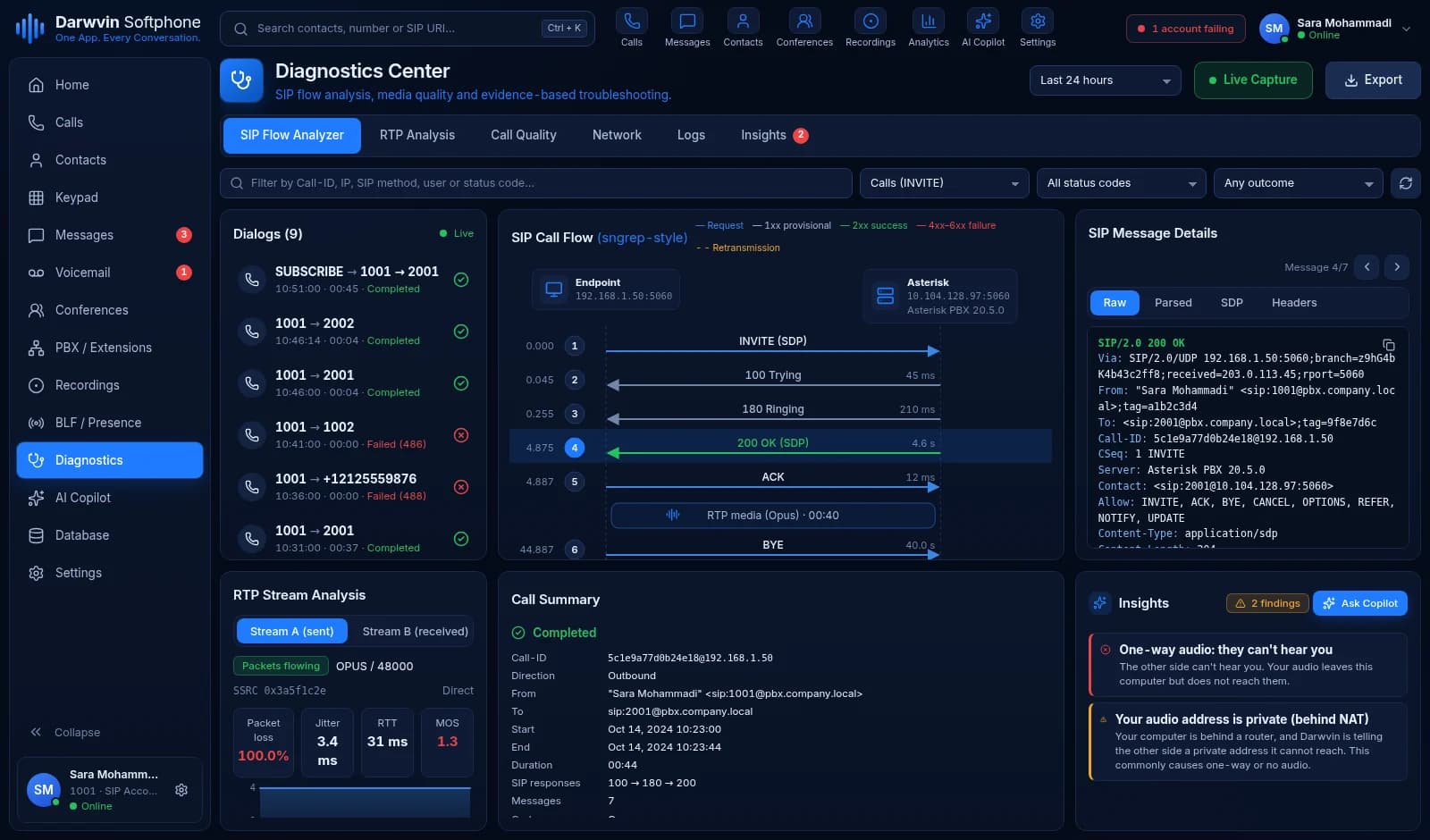
A SIP ladder view, message inspector and exportable traces show every request and response of a call, with sensitive values removed before you share them.
Call DoctorDesktop
Rules that recognise common failures — registration errors, codec mismatches, one-way audio, NAT problems — and show the evidence and likely causes for each finding.
Optional troubleshooting CopilotDesktop
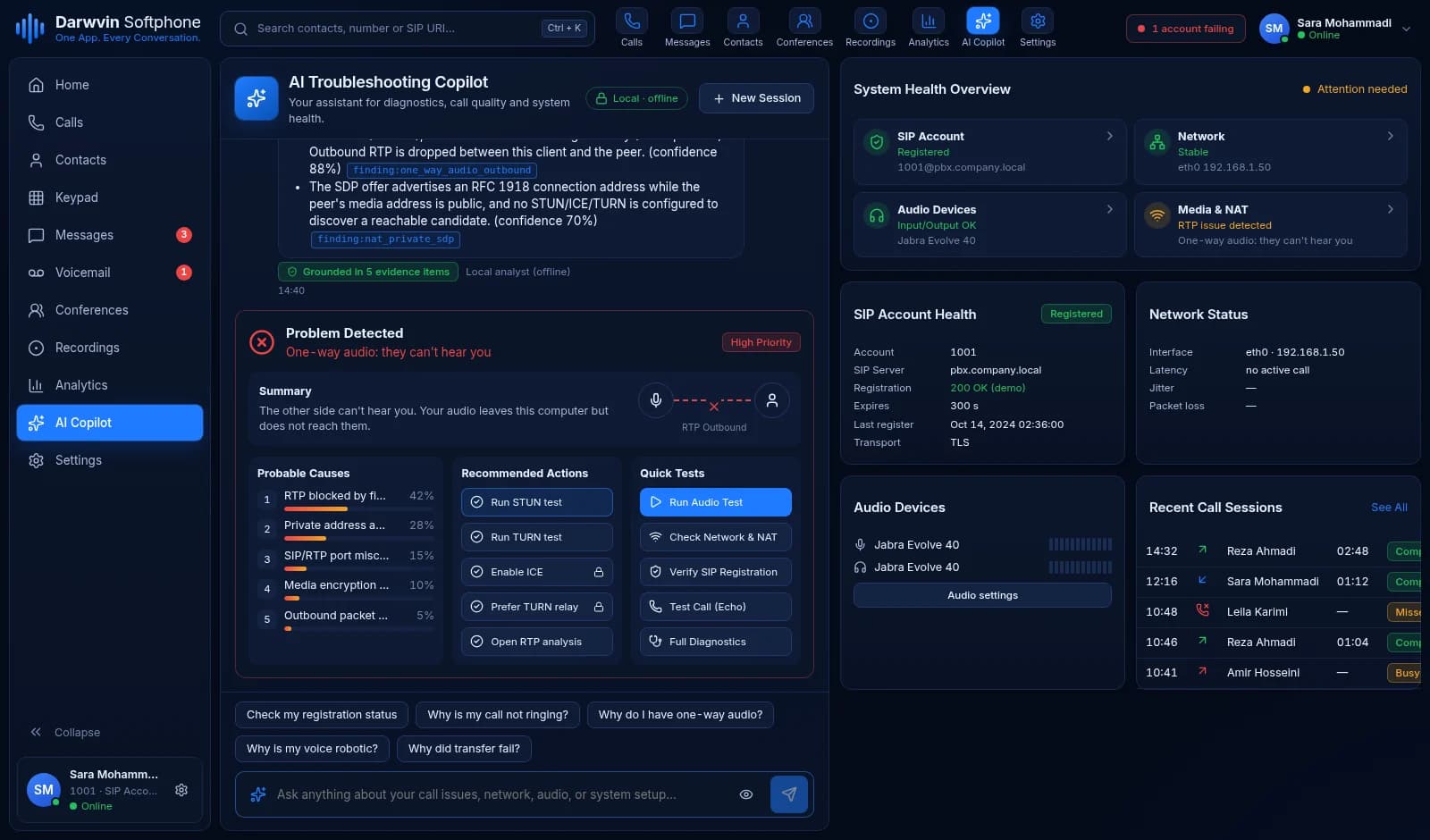
Ask why a call failed. It runs locally and offline by default. Cloud AI is used only if you add your own key and turn it on; data is redacted first and keys stay in the operating system keychain.
Desktop workstationDesktop
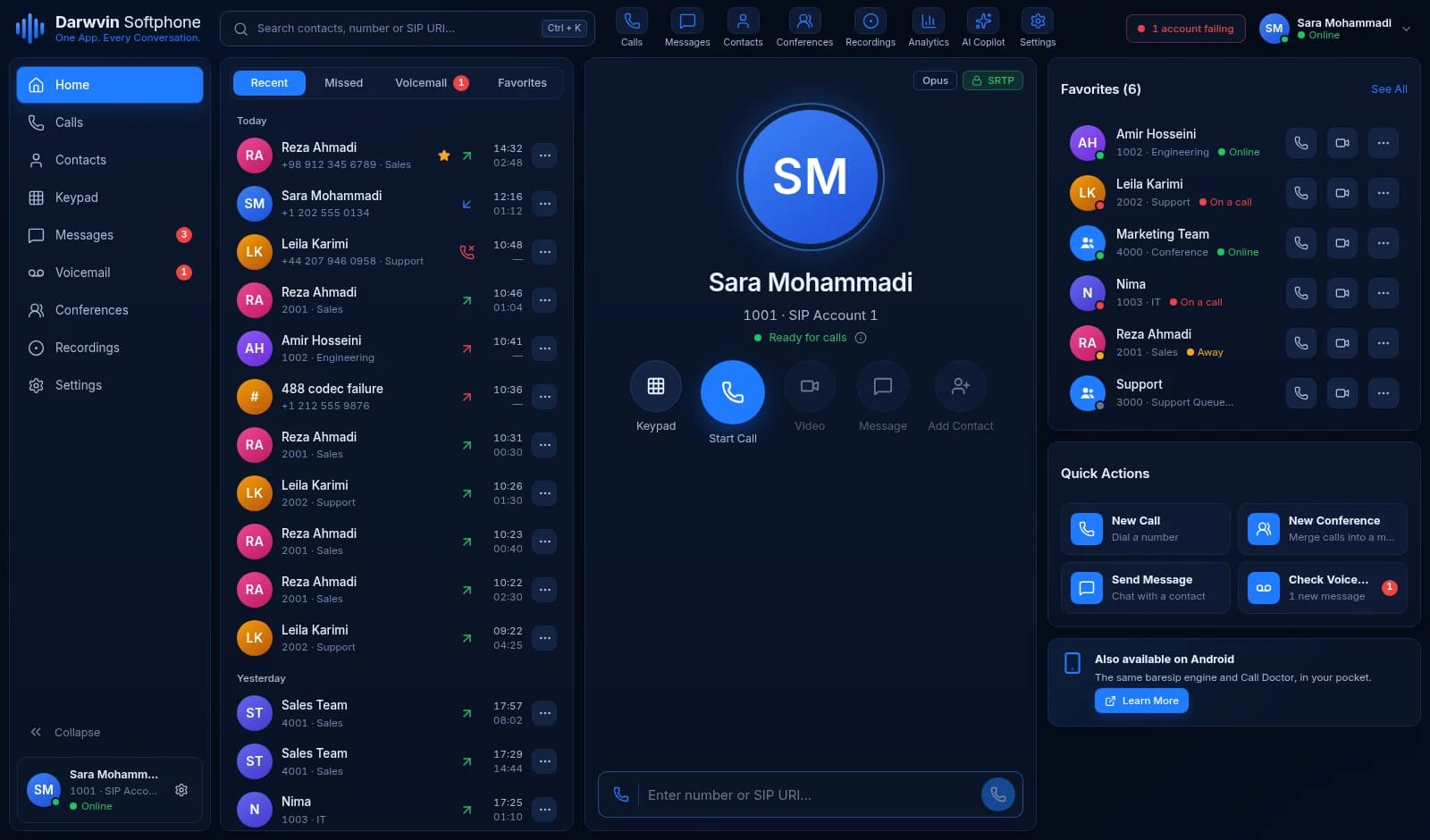
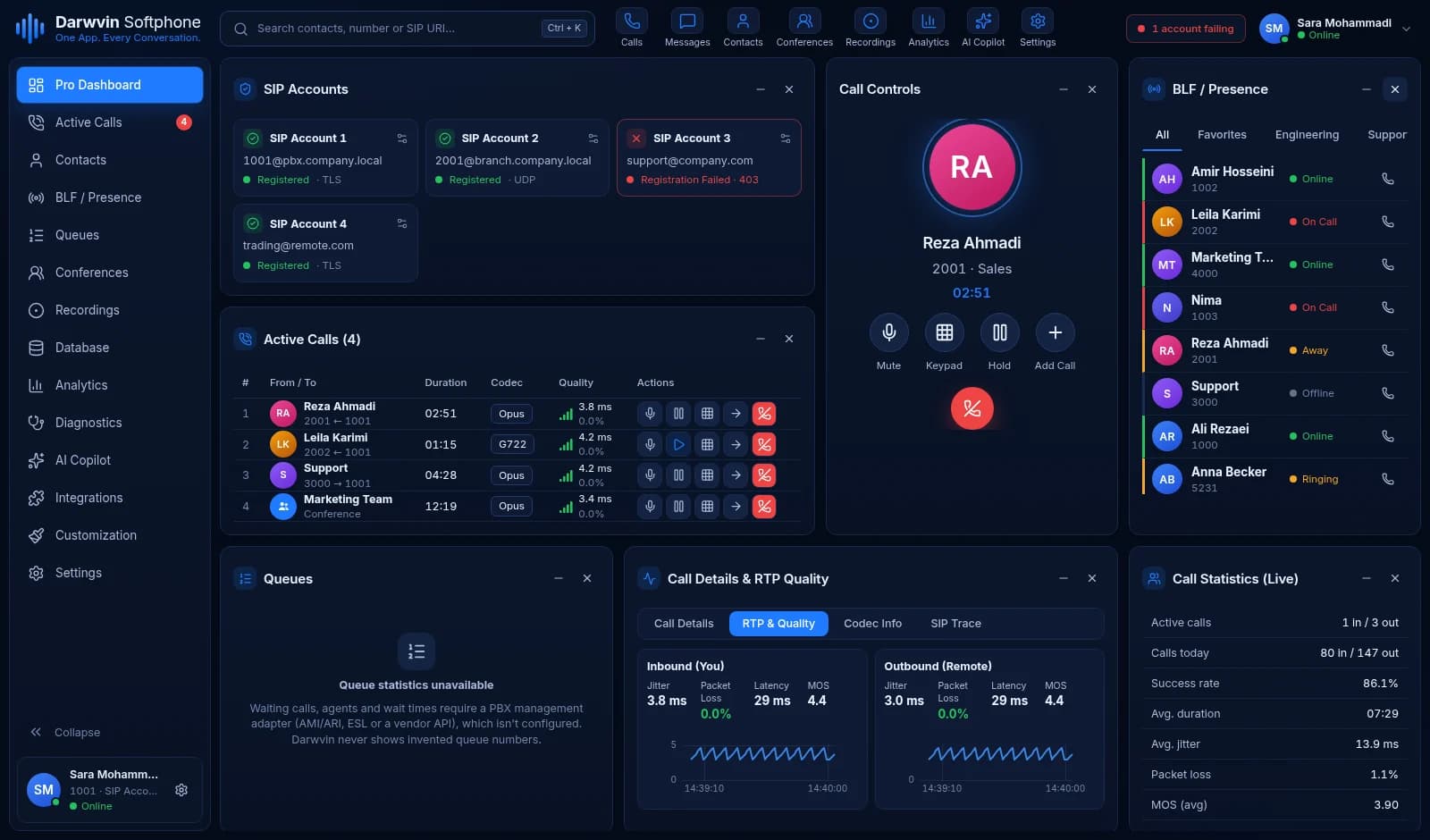
An always-on-top mini dialer, incoming-call popups, a pro dashboard for several accounts and calls, and call history with search and CSV export.
Screens
Screenshots from the product, not mock-ups.
Home
Diagnostics Center
Troubleshooting Copilot
Pro dashboard
Where teams use it
Your office extension, anywhere
Register your PBX extension on your phone and computer, see colleagues' presence and transfer calls as you would at your desk.
Finding why a call fails
Open the call's SIP ladder, see the 488 or the missing RTP, and send a redacted trace to whoever runs the PBX.
Private calling
Use your own SIP provider with no Darwvin account, no advertising and no analytics in the app.
Requirements and integrations
- Android
- Android 9 or newer (release candidate)
- Desktop
- Windows, macOS and Linux (in development)
- SIP service
- A SIP account from your PBX or VoIP provider — the app does not include a phone number or calling plan
- Emergency calls
- Not supported
- SIP over UDP, TCP and TLS
- SRTP and DTLS-SRTP
- STUN, TURN and ICE
- Opus, G.722, G.711
- Android Telecom
Delivery
Not released yet. We will announce the Android app first; the desktop edition follows.
Support
Support terms will be published with the first release.
See how licensing and buying work, the software license and the refund policy.
Questions
Does it include a phone number or SIP account?
No. Darwvin Softphone is the app only. You connect it to a SIP account from your own PBX or a VoIP provider, which also decides which features, such as BLF or voicemail, are available.
Do I need a Darwvin account?
No. The app connects directly to your SIP server. Your credentials are stored encrypted on your device and are not sent to Darwvin.
What data does the app collect?
There are no advertising or analytics SDKs. Call history, contacts and recordings stay on your device, and diagnostic traces leave it only when you share them.
Can I call emergency numbers?
No. Darwvin Softphone does not support emergency calling. Use your mobile network or landline for emergencies.
When can I get it?
The Android app is a release candidate and the desktop edition is in development. There is no release date yet — use "Tell me when it is ready" and we will email you when it is available.
Something not answered here? Ask us directly.
Need changes or a custom integration? Start a project
Other Darwvin products
- PBX management app
PBX Nexus
Manage and monitor PBX servers over SSH — from your phone or desktop.
- Cloud call center
Darwvin Call Center
A cloud call center for sales and support teams.
- Hosted sales CRM
Darwvin CRM
A sales CRM your team will actually keep up to date.
- Desktop app for Linux and Windows
RemoteOpsX
A unified remote-operations workspace — not just another terminal.